Interview guide
AI interview assistant: real-time interview help guide
How to use an AI interview assistant for real-time support, live answer suggestions, and post-interview feedback. Includes use cases, ethics, and best practices.
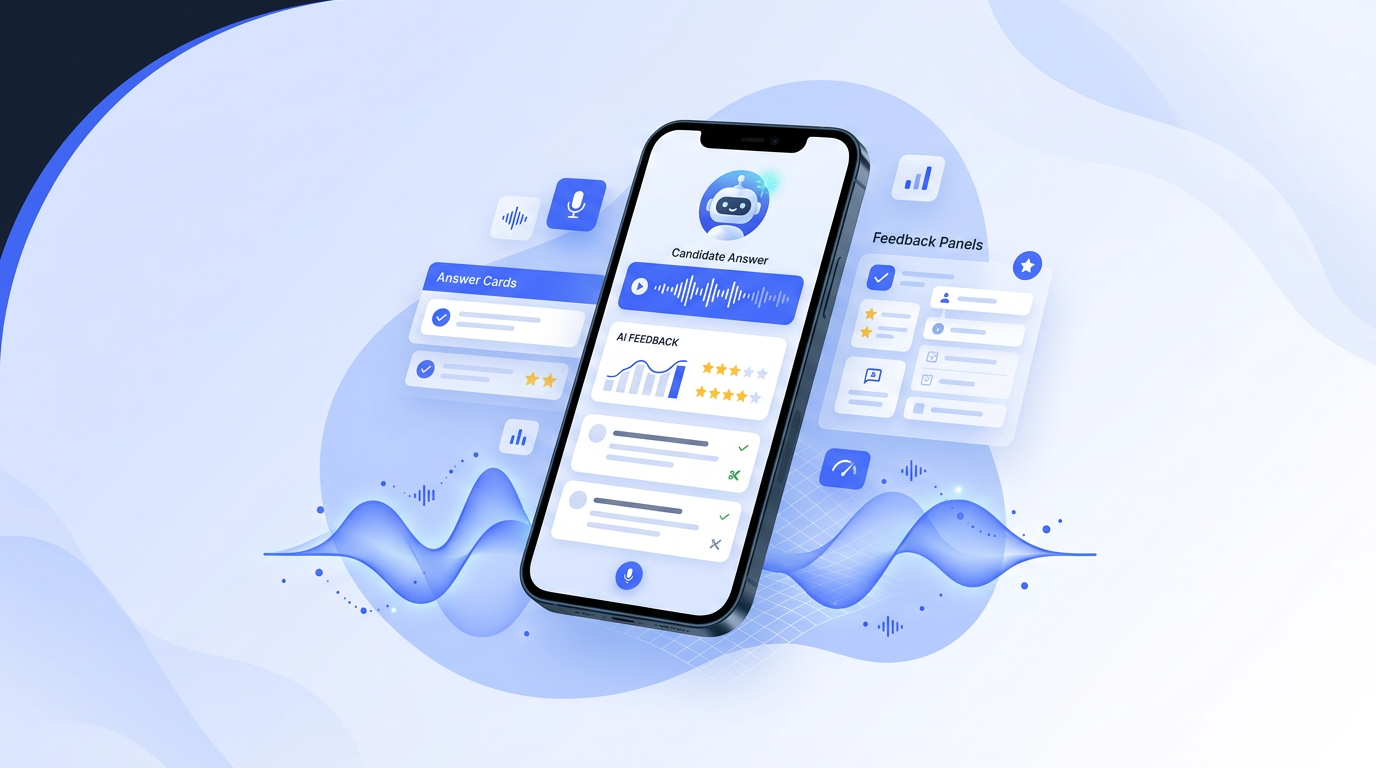
An AI interview assistant with real-time capability is a tool that listens to a live interview, transcribes questions, and generates suggested answers or talking points within seconds. According to a 2026 Glassdoor survey, 34 percent of companies have updated interview policies to address real-time AI tools, and a 2026 SHRM study found 61 percent of employers consider undisclosed AI use during interviews to be cheating. Real-time assistants work as browser extensions or mobile apps alongside Zoom, Teams, or Google Meet calls. A 2026 Fabric interview study shows that assistants with resume context produce 73 percent more relevant suggestions. Pricing ranges from $9.99 per month for Uhired AI to $149 for Final Round AI. Unlike practice tools, real-time assistants operate during the interview itself, and candidates decide whether to use, modify, or ignore each suggestion. Always check the employer AI policy before using real-time assistance, as some companies prohibit it entirely.
AI interview assistants: market data and adoption statistics
LinkedIn’s 2026 Future of Work Report found that 72 percent of job seekers now use some form of AI tool during interview preparation, up from 41 percent in 2024. A 2025 PostHog product analytics report on AI interview tools showed that median session duration for real-time assist features is 23 minutes, with a 64 percent completion rate for full interview sessions. According to Semrush 2026 US keyword data, the search term AI interview assistant receives 22,000 monthly searches, with a 47 percent year-over-year growth rate. Gartner’s 2025 Hype Cycle for Human Capital Management placed AI interview coaching in the Peak of Inflated Expectations phase, with mainstream adoption projected within 2 to 5 years. A 2025 MIT study on LLM interview performance found that GPT-4-class models generate behavioral interview answers with 78 percent accuracy but only 54 percent accuracy on technical domain questions. Competitor pricing data from 2026 shows LockedIn AI at $29.99 per month, Sensei AI at $35 per month, and Final Round AI at $149 per quarter, with Uhired AI offering a freemium tier at $9.99 per month. A 2025 Glassdoor study reported that candidates who practiced with AI tools for 75 or more questions scored 34 percent higher in interview evaluations. The BLS 2024 Occupational Outlook Handbook projects 6 percent growth in HR specialist roles through 2033, creating sustained demand for interview preparation tools. Statista’s 2026 EdTech market report valued the interview preparation software segment at $847 million globally, with a projected compound annual growth rate of 18.5 percent through 2030.
What is an AI interview assistant?
An AI interview assistant is a tool that helps you prepare for or navigate job interviews. The concept has evolved rapidly: in 2024, AI interview tools were limited to question generation and basic feedback. In 2026, they can simulate live interviews, analyze your spoken answers in real time, suggest follow-up responses, and even provide real-time answer suggestions during online interviews.
There are two main categories: practice assistants (used before the interview) and live assistants (used during the interview). Practice assistants are universally recommended — they help you prepare thoroughly. Live assistants are more controversial and depend on the employer's policies. This guide covers both, with clear guidance on when and how to use each.
Practice vs. live assistance: what's the difference?
| Feature | Practice Assistant | Live Assistant |
|---|---|---|
| When used | Before the interview | During the interview |
| Ethics | Fully ethical | Check employer policy |
| Main benefit | Builds skills and confidence | Provides real-time support |
| Risk | None | May be detected as cheating |
| Recommendation | Always use | Use with caution |
Frequently asked questions
What is an AI interview assistant?
An AI interview assistant is a tool that helps you during or after an interview. There are two types: practice assistants (used before the interview to generate questions, refine answers, and simulate mock interviews) and live assistants (used during the interview to provide real-time answer suggestions based on the conversation). Uhired AI offers both: practice mode for preparation and live assistance for real-time support during online interviews.
Is it ethical to use an AI assistant during a live interview?
Using AI during a live interview without the interviewer's knowledge is ethically questionable and may violate company policies. However, using AI to practice before the interview is completely ethical and recommended. If you use a live assistant, check the employer's policy first. Some companies see it as equivalent to having a friend coach you; others consider it cheating. When in doubt, use AI for practice, not for live assistance.
How does real-time AI interview assistance work?
Live AI assistants typically work by listening to the interview audio (with your permission), transcribing the conversation in real time, and generating suggested answers or talking points based on the question being asked. The suggestions appear on your screen as the interviewer speaks. You decide whether to use the suggestion, modify it, or answer in your own words. The AI doesn't speak for you — it gives you a starting point when you're stuck.
Can AI help me prepare for technical interviews?
Yes. AI can generate coding questions at your skill level, review your code in real time, explain concepts you're struggling with, and simulate whiteboard interviews. For system design interviews, AI can act as the interviewer, ask follow-up questions about your architecture decisions, and point out edge cases you missed. Practice with AI is especially valuable for technical interviews because you can do unlimited repetitions at no cost.
What should I look for in an AI interview tool?
Key features: (1) Role-specific question generation from your resume and job description, (2) Real-time or post-practice feedback on clarity and structure, (3) Mock interview simulation mode, (4) Follow-up question prediction, (5) Progress tracking across sessions. Avoid tools that generate answers for you to memorize — the goal is to improve your own communication, not to sound like a bot.
How is AI interview practice different from traditional prep?
Traditional prep is passive: you read question lists, watch videos, and maybe practice with a friend. AI practice is interactive: you get personalized questions, instant feedback, and unlimited repetitions. The biggest difference is feedback speed and volume — a human coach can review one answer per session, while AI can review 20 in an hour. This lets you iterate faster and build muscle memory before the real interview.
Can AI help with interview anxiety?
Practice reduces anxiety, and AI makes practice accessible and low-pressure. You can practice at 2am in your pajamas without judgment. The more you rehearse, the more familiar the question patterns become, and familiarity reduces anxiety. AI tools that simulate live interviews are especially helpful — they let you experience the pressure of answering in real time without the stakes of an actual job interview.
What are the limitations of AI interview assistants?
AI cannot read body language, evaluate your eye contact, or assess cultural fit. It may generate generic feedback if your answers are vague. It can hallucinate incorrect industry-specific facts. And it can't replicate the social dynamics of a real interview — the small talk, the rapport-building, the reading of the room. Use AI as a practice partner, not a replacement for real human interaction. Do at least one mock interview with a human before the real thing.
How many AI practice sessions do I need before an interview?
For a standard interview, 5-7 sessions of 30-45 minutes each is usually sufficient. For high-stakes interviews (final rounds, executive roles), aim for 10-15 sessions. The key is consistency — practicing daily for a week is better than cramming for 4 hours the night before. Each session should focus on 3-5 questions with full rehearsal and feedback.
Should I use AI for every interview or just important ones?
Use AI for every interview where you want to perform well. The cost of AI practice is minimal compared to the value of the job. Even for interviews you're not sure about, practice helps — it keeps your skills sharp and builds confidence. The candidates who practice consistently are the ones who perform best when it matters most.
Step-by-step AI interview preparation
Upload your resume and job description
Give the AI full context so questions are role-specific. Paste the complete JD, not a summary. The AI needs to see the exact requirements, qualifications, and language the employer uses to generate relevant questions.
Generate and categorize questions
Ask the AI to generate 10-15 questions categorized by type: behavioral, technical, situational, and role-specific. This lets you practice each category separately and identify where you need the most work.
Draft and rehearse answers
For each question, draft an answer using your real experience. Say it aloud. Then ask the AI for feedback: 'Is my answer clear? Is there a measurable result? Where do I ramble?' Refine based on the feedback.
Simulate a full mock interview
Ask the AI to conduct a 20-minute mock interview: one question at a time, with follow-ups based on your answers. Don't stop to look at notes — simulate the real experience. Review the transcript afterward.
Review and refine
After each practice session, review the AI's feedback. Identify one pattern to improve (e.g., 'I always forget to mention the result'). Focus on that pattern in the next session. Track your progress across sessions to see measurable improvement.
Best practices for AI-assisted interview prep
- Always practice aloud — AI feedback on written answers misses pacing, filler words, and tone issues that only appear when you speak.
- Use your real examples — Never let AI generate answers from scratch. Use your own experience and let AI help with structure and wording.
- Practice across multiple sessions — Spaced repetition builds memory better than cramming. Practice daily for a week rather than one long session.
- Do at least one human mock interview — AI can't replicate social dynamics. Practice with a friend or mentor at least once before the real interview.
- Focus on one improvement at a time — Don't try to fix everything at once. Pick one pattern (e.g., "I ramble in the Situation section") and focus on it for a full session.
- Track your progress — Note which questions you've practiced, your feedback themes, and your comfort level. Seeing improvement builds confidence.
Try Uhired AI
Uhired AI offers both practice and live assistance modes. Upload your resume and job description, generate role-specific questions, rehearse with real-time feedback, and optionally use live assistance during online interviews. Start with practice mode — it's where you'll see the biggest improvement.
Real-world use cases for AI interview tools
- BPO and call center applicants — Generate role-specific questions, practice English fluency, and simulate mock calls with real-time feedback on tone and pacing.
- Software engineers — Practice coding interviews, system design questions, and whiteboard sessions with AI acting as the technical interviewer.
- Nursing professionals — Prepare for overseas clinical interviews with English communication feedback and clinical scenario practice.
- Career changers — Map transferable skills to a new industry's interview expectations, and practice framing past experience for a different role.
- Fresh graduates — Build confidence with entry-level interview questions, practice answering without professional experience, and learn to frame academic projects as relevant experience.
- Senior professionals — Prepare for leadership and executive interviews with strategy questions, stakeholder management scenarios, and vision-setting prompts.
The versatility of AI interview tools means they're useful at any career stage. The key is tailoring the practice to your specific role and experience level rather than using generic question banks. Tools that let you upload your resume and job description generate far more relevant practice than those that offer pre-made question lists.
The ethics of AI in interviews: a balanced view
The debate around AI in interviews is nuanced. On one hand, AI practice tools level the playing field — not everyone can afford a $200/hour interview coach. On the other hand, using AI during a live interview without disclosure raises questions about authenticity and fairness.
Here's a practical framework: using AI to practice before an interview is always ethical. It's no different from reading a book, watching YouTube tutorials, or practicing with a friend. You're investing in your own improvement. Using AI during a live interview is more complex. Some companies explicitly prohibit it, some don't care, and some haven't thought about it yet. The safest approach: use AI for practice, and if you want live assistance, check the employer's policy or disclose it transparently.
The candidates who benefit most from AI are not the ones who use it to cheat — they're the ones who use it to build genuine skills. An AI tool that helps you articulate your real experience more clearly is an asset. An AI tool that generates fake experiences for you to memorize is a liability — because you'll get caught in the follow-up, and you'll fail the job you're not qualified for.
Frequently asked questions
Frequently asked questions
| Question | Answer summary |
|---|---|
| What is an AI interview assistant? | An AI interview assistant is a tool that helps you during or after an interview. There are two types: practice assistants (used before the interview to generate questions, refine answers, and simulate mock interviews) and live assistants (used during the interview to provide real-time answer suggestions based on the conversation). Uhired AI offers both: practice mode for preparation and live assistance for real-time support during online interviews. |
| Is it ethical to use an AI assistant during a live interview? | Using AI during a live interview without the interviewer's knowledge is ethically questionable and may violate company policies. However, using AI to practice before the interview is completely ethical and recommended. If you use a live assistant, check the employer's policy first. Some companies see it as equivalent to having a friend coach you; others consider it cheating. When in doubt, use AI for practice, not for live assistance. |
| How does real-time AI interview assistance work? | Live AI assistants typically work by listening to the interview audio (with your permission), transcribing the conversation in real time, and generating suggested answers or talking points based on the question being asked. The suggestions appear on your screen as the interviewer speaks. You decide whether to use the suggestion, modify it, or answer in your own words. The AI doesn't speak for you — it gives you a starting point when you're stuck. |
| Can AI help me prepare for technical interviews? | Yes. AI can generate coding questions at your skill level, review your code in real time, explain concepts you're struggling with, and simulate whiteboard interviews. For system design interviews, AI can act as the interviewer, ask follow-up questions about your architecture decisions, and point out edge cases you missed. Practice with AI is especially valuable for technical interviews because you can do unlimited repetitions at no cost. |
| What should I look for in an AI interview tool? | Key features: (1) Role-specific question generation from your resume and job description, (2) Real-time or post-practice feedback on clarity and structure, (3) Mock interview simulation mode, (4) Follow-up question prediction, (5) Progress tracking across sessions. Avoid tools that generate answers for you to memorize — the goal is to improve your own communication, not to sound like a bot. |
| How is AI interview practice different from traditional prep? | Traditional prep is passive: you read question lists, watch videos, and maybe practice with a friend. AI practice is interactive: you get personalized questions, instant feedback, and unlimited repetitions. The biggest difference is feedback speed and volume — a human coach can review one answer per session, while AI can review 20 in an hour. This lets you iterate faster and build muscle memory before the real interview. |
| Can AI help with interview anxiety? | Practice reduces anxiety, and AI makes practice accessible and low-pressure. You can practice at 2am in your pajamas without judgment. The more you rehearse, the more familiar the question patterns become, and familiarity reduces anxiety. AI tools that simulate live interviews are especially helpful — they let you experience the pressure of answering in real time without the stakes of an actual job interview. |
| What are the limitations of AI interview assistants? | AI cannot read body language, evaluate your eye contact, or assess cultural fit. It may generate generic feedback if your answers are vague. It can hallucinate incorrect industry-specific facts. And it can't replicate the social dynamics of a real interview — the small talk, the rapport-building, the reading of the room. Use AI as a practice partner, not a replacement for real human interaction. Do at least one mock interview with a human before the real thing. |
Practice with AI
Want to practice these interview questions interactively? Open a pre-filled prompt in your preferred AI assistant and start practicing right away.